
No long rendering waits. Our high-performance tool supports zero-latency instant generation. Every detail change can be previewed instantly, allowing you to capture the best visual effects during creation.
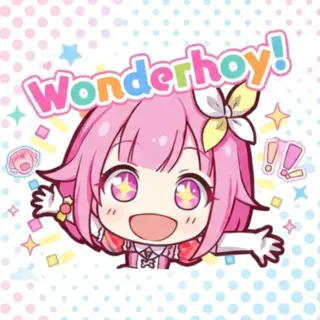
Export your stickers in PNG format with transparent backgrounds. Perfect for Discord, WhatsApp, or embedding into Notion with a seamless look.
Access a rich library of Project Sekai assets. Mizuki, Miku, Airi...
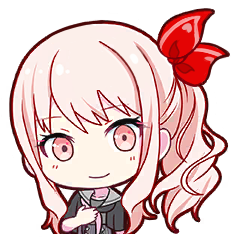

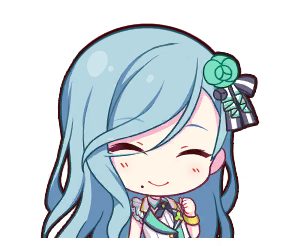

Say no to mediocrity! Flexible text customization with multiple color settings and professional stroke effects. Adjust spacing and borders to create your unique sticker.
Use drag-and-drop interaction and precise sliders for fine-tuning. Adjust text position, image scaling, and rotation angle manually for the perfect layout.
Switch between various professional color filters with one click. Whether you want a dreamy neon look or a retro comic style, it's all here.
Create an authentic Project Sekai style fan sticker with our free online pjsk sticker maker in 4 steps
Select from the rich library of Project Sekai game characters in PJSK Sticker Maker, or upload your own custom image as the sticker's background.
Type the text message for your sticker. With PJSK Sticker Maker, you can pick bold game fonts and enable the arc text effect for dynamic typography.
Use PJSK Sticker Maker to customize text gradient colors and dual-layer outer stroke border widths to perfectly capture the high-contrast in-game aesthetic.
Fine-tune position, size, and rotation in PJSK Sticker Maker, then export your creation as a transparent PNG or high-quality WEBP instantly.
Answers to common questions about using the online PJSK Sticker Maker generator
Yes, PJSK Sticker Maker is completely free to use. You can generate and download as many stickers as you want without any cost.
Yes, absolutely! As a high-quality pjsk sticker maker, we support exporting custom stickers in PNG format with transparent backgrounds. They are ready to be used as Discord emojis or in Telegram.
Yes. PJSK Sticker Maker is built with a fully responsive layout, giving you a seamless and fluid sticker-making experience on iOS, Android, and tablets.
Yes. PJSK Sticker Maker provides an 'Upload Image' feature. You can import any local PNG/JPG file and utilize all of our game-accurate text border and layout effects.
No. PJSK Sticker Maker is a fan-made project. All game assets and character drawings belong to SEGA and Colorful Palette. The generated stickers are strictly for personal, non-commercial use.
We highly recommend combining the 'Arc Text' feature with the 'Outline' option. Most in-game stickers feature dynamic curved typography and bold double-stroke outlines, which PJSK Sticker Maker replicates perfectly.